TL;DR
- Automated billing systems are a game-changer for your business, streamlining invoicing and payment processes while cutting down on errors.
- What is an automated billing system? It's a tool that automatically sends invoices and manages payments, which is crucial for subscription models.
- Challenges with manual billing include errors, inefficiency, and compliance risks, which automated billing can overcome.
- Automated recurring billing not only saves time but also enhances security and flexibility and provides a single source of truth for your data.
- Automated billing significantly reduces revenue leakage and churn through advanced features like automated dunning and retrying failed payments.
- Automated billing complies with key financial standards and regulations, ensuring businesses meet GAAP and ASC606 requirements.
- Automated billing software features include easy invoicing, dunning management, and integration with other business tools.
- To implement an automated billing system, you'll need to prepare data, integrate with current systems, and automate billing workflows.
- Consider automated billing as a strategic move to boost growth and improve customer satisfaction in your SaaS venture.
Ever wondered how to supercharge your billing process? Think about the hours you'd save and the mistakes you'd avoid by ditching manual billing. Enter the world of automated billing systems! They're not just about sending invoices but also about transforming your entire financial operation for better efficiency and growth.
Explore the essential elements of automated billing systems, from overcoming the pitfalls of manual operations to reaping the rewards of state-of-the-art software and smooth integration. Get ready to elevate your billing game!
What is an Automated Billing System?
An automated billing system allows SaaS and subscription businesses to create rules to automatically send out unpaid invoices to your customers at a frequency that works best for you. By automating your billing processes, your outstanding bills can get paid quicker. It also offers your clients an easy way to check their balances and pay what they owe.
Automated billing systems are a handy tool that helps make your billing, invoicing and payment processes seamless and efficient. Such a billing system allows you to pull data from different sources into a unified platform. This helps you generate accurate invoices, reduce billing and invoicing errors, and ensure timely invoicing and payments.
If your business uses a recurring subscription mode, an automated billing system can really work for you.
But why do businesses need an automated billing system? What challenges do manual billing solutions have? Let’s explore.
Challenges with Manual Billing Processes
As your business evolves, billing becomes increasingly complicated. While you might initially think manual billing saves money, it's time-consuming and labor-intensive. Plus, as your customer numbers grow, manually created invoices can be error-prone, leading to more than just sending bills.
You'll be juggling payment tracking, maintaining compliance with Generally Accepted Accounting Principles (GAAP) - notably ASC 606 - and ensuring every piece of data is accurate. Unfortunately, this old-school method lacks the adaptability needed in today's competitive marketplace.
Achieving seamless and accurate billing is essential. But aiming for this with manual methods? That's quite the challenge. You could face a host of issues:
- Simple data entry mistakes
- Inefficient processes
- Lack of visibility into billing and customer data
- Challenges in tracking invoices and payments
- Difficulty scaling up
- Unprocessed recurring payments
- Inadvertent customer turnover
- Compliance hiccups
- Inadequate reporting
- Inflexible product list
- Overwhelmed customer support team.
Beyond just raising the chances of mistakes and fraud, these issues can seriously hamper your customer service efforts.
| Common Billing Issues | Impact on Business |
|---|---|
| Frequent errors | Reduced customer trust & potential revenue loss |
| Failed recurring payments | Disrupted cash flow |
| Involuntary churn | Decreased customer base & lost revenue |
| Compliance challenges | Risk of legal consequences |
| Insufficient reporting | Poor decision-making & operational inefficiency |
| Rigid product catalog | Limited market adaptability |
| Overloaded customer support | Strained customer relationships |
So, when billing roadblocks start eating into your bottom line, it might be time to eye automated billing platforms. Such billing software handles duties like distinguishing between deferred and earned income in a recurring income business model. This approach isn't just more efficient—it also plugs any potential holes in your revenue. Spotting these challenges early and making the shift before they grow insurmountable is key.
Also Read: Revamping Your SaaS Billing Process: Proven Strategies to Enhance Efficiency and Maximize Revenue
Benefits of Automating Billing for SaaS Companies
Embracing an automated billing system can elevate your business beyond just time-saving advantages. By implementing this system, you refine operations, slash errors, and foster a kind of efficiency that substantially cuts down operational costs.
Imagine a unified platform that streamlines billing, invoicing, and payments. By pooling data from different systems, this platform crafts precise invoices, guaranteeing prompt deliveries and payments. The outcome? Less pressure on your resources, bolstered customer loyalty, spiraled revenue, and enhanced customer lifetime value.
A significant perk of automated billing is its prowess in arresting recurring revenue slip-ups. The automated dunning process alone can recover 1%-5% of revenue leakage. Couple this with retrying payments a few days after a failed attempt, and you could stave off nearly 40% of churns in your subscription business.
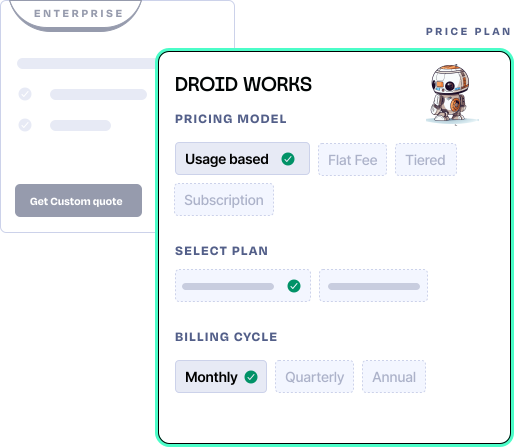
Let's look at more merits of such a system:
Enhanced Security
Offers robust payment options necessitating advanced authentication methods like two-factor authentication or biometric verification before processing customer payments.
Flexibility
Grants the freedom to experiment with diverse business models and tweak pricing effortlessly.
Single Source of Truth (SSOT):
All vital data is stored in one accessible location, ensuring the entire team operates from a unified data standpoint. This boosts customer interactions and data-driven decisions.
Streamlined Data Management
Simplifies the handling of vast amounts of customer and billing data, minimizing chances of errors.
Enhanced Operational Efficiency
Ensures consistent and error-free operations, particularly as your business grows.
Improved Customer Experience
Offers a seamless billing experience that directly translates to satisfied customers, reinforcing trust and loyalty.
Direct Influence on Profitability
Impacts the business profitability with efficient billing processes.
Improved Scalability
Allows businesses to try out various business models and deploy different pricing strategies. This provides greater control over how you scale your business in response to changing market conditions.
In essence, refining your billing with automation isn't just a fiscal boon. It's a strategic maneuver that accelerates growth and offers an unparalleled customer experience. Onward, we'll touch on the groundbreaking features of automated billing software.
Key Features of Automated Billing Software
Your SaaS startup benefits immensely from an automated billing system. It's not just about dispatching invoices or securing payments. This system serves as a comprehensive solution, overseeing everything from managing subscriptions to the dunning process while also delivering crucial business intelligence.
- Makes invoicing effortless:
An automated billing software autonomously crafts invoices, factoring in recurring costs, consumption-based charges, and unique fees linked to your subscription configurations. Beyond just dispatching invoices, this software keeps track of them.
- Manages the dunning process:
Integrated dunning management ensures it addresses credit card discrepancies and rejections, dispatching scheduled alerts to customers concerning card expiry, failed transactions, and outstanding dues. What's more, it automatically attempts scheduled card retries, no intervention is required on your part.
- Offers flexibility to the billing process
The adaptability of an automated billing software is impressive. It grants the freedom to propose a range of subscription plans, varying billing periods, and even trial offers without charge. It adeptly manages promotional elements like discounts and coupons.
- Enables easy communication
An automated billing software ensures efficient communication with customers about billing details and authorizes them to independently oversee their profiles through self-service portals.
- Offers critical business insights
Automated billing platform isn't just about billing. It transforms into a pivotal source of business insights. From revenue analyses by the plan to evaluating customer longevity and credit card rejection rates, it provides a comprehensive overview. Moreover, it stands as the trusted financial record and the ultimate reference for all revenue-related operations connected to accounts receivable.
- Integrates with other tools
An automated billing system should blend flawlessly with other tools your team relies on for billing, ensuring automated data sharing among your CRM, ERP, taxation tools, integrated payment pathways, and software solutions. This eradication of manual tasks amplifies efficiency.
- Complies with standards & regulations
Your automated billing system should meet GAAP, ASC606 regulations, PCI Level 1, and SOC2 security standards. It should also include a general ledger (GL) that employs double-entry accounting principles.
Remember, an effective billing system isn't just about sending out invoices; it's about streamlining operations, enhancing efficiency, and ensuring customer satisfaction.
Implementing an Automated Billing System
For SaaS businesses, having an automated billing system is essential, especially if your focus is on a subscription-based model. Such a system benefits both your business and customers. But remember, the chosen software should match your specific business goals and accommodate growth.
Here’s a step-by-step process to get your automated billing system up and functioning:
| Activity | Description |
|---|---|
| Data Preparation | Ready customer data. Include billing frequency, discounts, and revenue recognition. |
| Tech Integration | Connect with existing systems: accounting, ERP, CRM, CPQ. |
| Software Setup | Create accounts, design invoices, and set up customer payment portals. |
| Automation | Set workflows for reminders, invoice dispatch, auto-payments, and dunning. |
- Get your customer data ready for integration. Ensuring your data is neat and organized fast tracks this process. Inform your software provider about the details like how often you bill, any discounts given, and how you recognize revenue. In response, they'll offer an implementation manager for a smooth transition.
- Next, your focus should be on weaving your automated billing software into your existing technological framework. This means connecting it with systems like your accounting tool, Enterprise Resource Planning (ERP), Customer Relationship Management (CRM), and Configure, Price, Quote (CPQ) software. These systems provide valuable customer and order details for invoicing.
- Setting up the software demands attention to detail. It entails tasks like opening new accounts, crafting invoice templates, and setting up the portal where customers make payments. You'll also establish automation for activities like sending out billing reminders, dispatching invoices, handling auto-payments, and managing failed payment attempts, commonly known as dunning.
- Once everything's set, dunning management becomes paramount. Utilize automated emails or texts as reminders for failed auto-payment attempts.
- It's imperative for everyone interacting with the billing software to understand its functionalities. Ensure periodic checks by finance professionals to make sure the system is at its best.
A well-tuned automated billing system sets you on the right path, ready to expand and elevate your SaaS operations.
Boost Your Growth Through Automated Billing
Automated billing systems change the game for SaaS startups, clearing hurdles and driving forward momentum. By incorporating these tools, you can enhance invoicing processes, minimize mistakes, and capture overlooked revenue. The right software comes with features like dunning management, subscription management, and easy payment processing.
Remember, the journey towards automation is a part of your digital transformation, a vital step to scale successfully. Consider exploring automated billing systems like Togai to swiftly implement pricing strategies and limit manual discrepancies in your billing processes. Try Togai for free, or schedule a demo today.
Reflect on this quote from Steve Jobs - "Innovation is the ability to see change as an opportunity - not a threat." Harness innovation, elevate your billing, and soar to greater success.